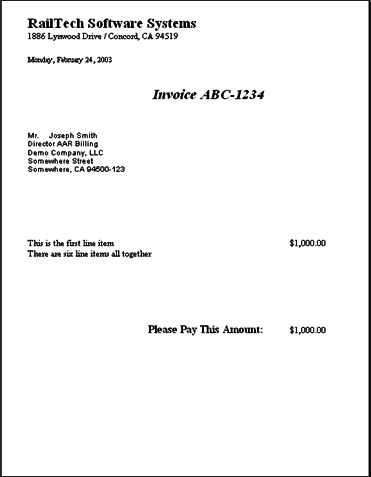
Free Hand Invoice
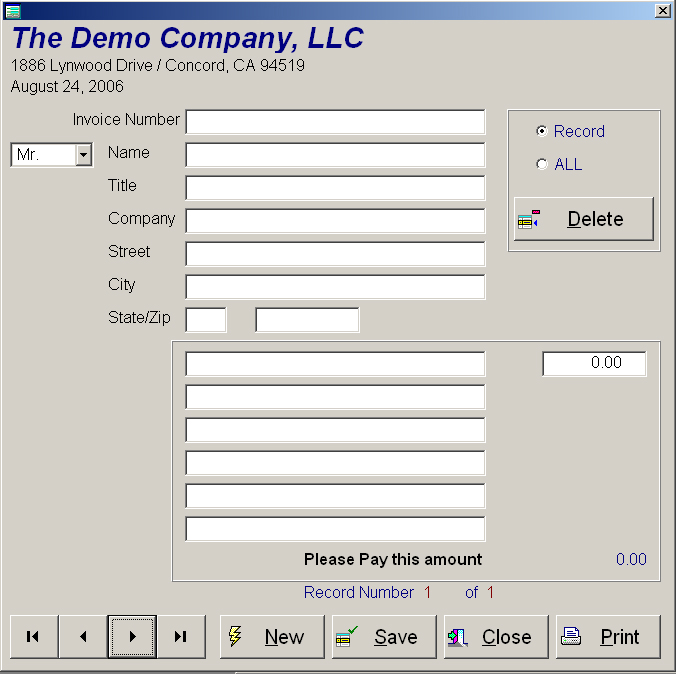
If you select Reports, Invoices, Free Hand Invoice, the above screen will appear. This function will allow you to create an invoice with no limitation. These invoices are used for items other then Repair Card Invoicing. The last saved invoice will always appear on the screen. If you want to delete a saved invoice, simply select if it is the displayed invoice, by selecting Record or if you want to delete all invoices, by select All.
The push button marked New
clears all fields so that you can enter a new record. Save
will save the displayed record, Close
will exit this screen and Print will
print out the invoice. The VCR buttons at the bottom left allows
you to move to the first of the file, previous record, next record or last
record. When you are finished
creating an invoice, select Print
and the invoice will appear on the screen for you to print or cancel as shown
below: